ReceiptForge
A downloadable offline receipt OCR for Windows
ReceiptForge turns a whole folder of receipt photos into a finished spreadsheet — entirely on your own PC.ReceiptForge 可将整套收据照片转换为完整的电子表格——完全在您的个人电脑上完成。
1) Fully offline
ReceiptForge doesn’t just promise to work offline — it blocks network access in code. Both OCR models ship with the app; nothing is downloaded at runtime. The Microsoft Store package doesn’t even request internet permission. No account, no cloud sync, no analytics.
2) Broad format support
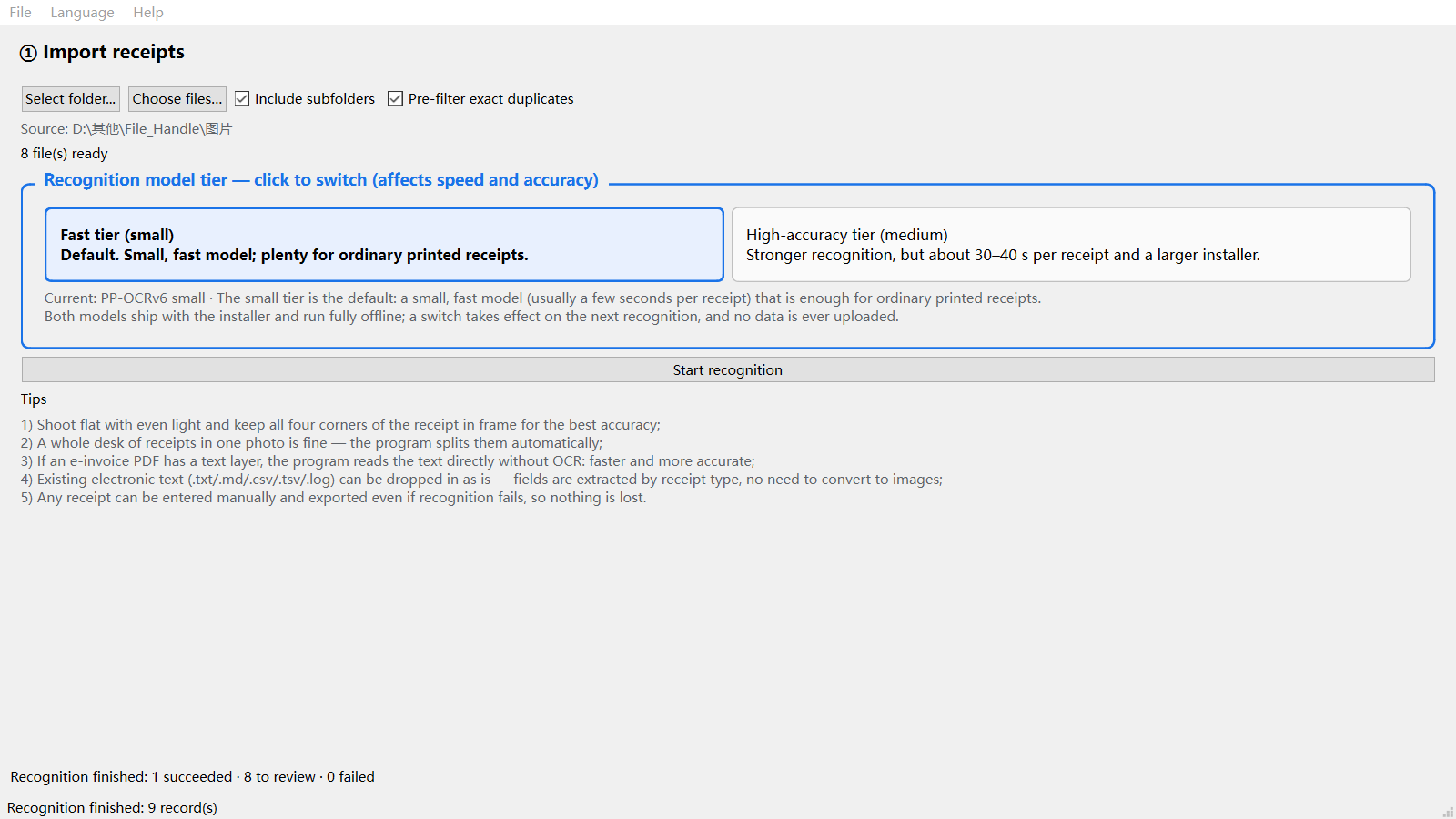
Point it at a folder and it recurses automatically. 18 source formats: 11 image types (JPG, PNG, TIFF, BMP, WEBP, HEIC…), PDF, and 6 plain-text formats. Multi-receipt images are split automatically; PDFs are processed one receipt per page; exact duplicates are filtered out by SHA-256 before recognition starts.
3) 17 receipt layouts recognised
VAT special, VAT common, electronic VAT invoice, fully digitalised invoice, roll invoice, machine-printed invoice, quota invoice, toll e-invoice, non-tax receipt, taxi invoice, ride-hailing itinerary, train ticket, flight itinerary, retail receipt, bank acceptance bill, blank template, plus a generic fallback. Each layout is scored; when confidence is low, candidates are retained instead of forcing a wrong answer.
4) Structured data extraction
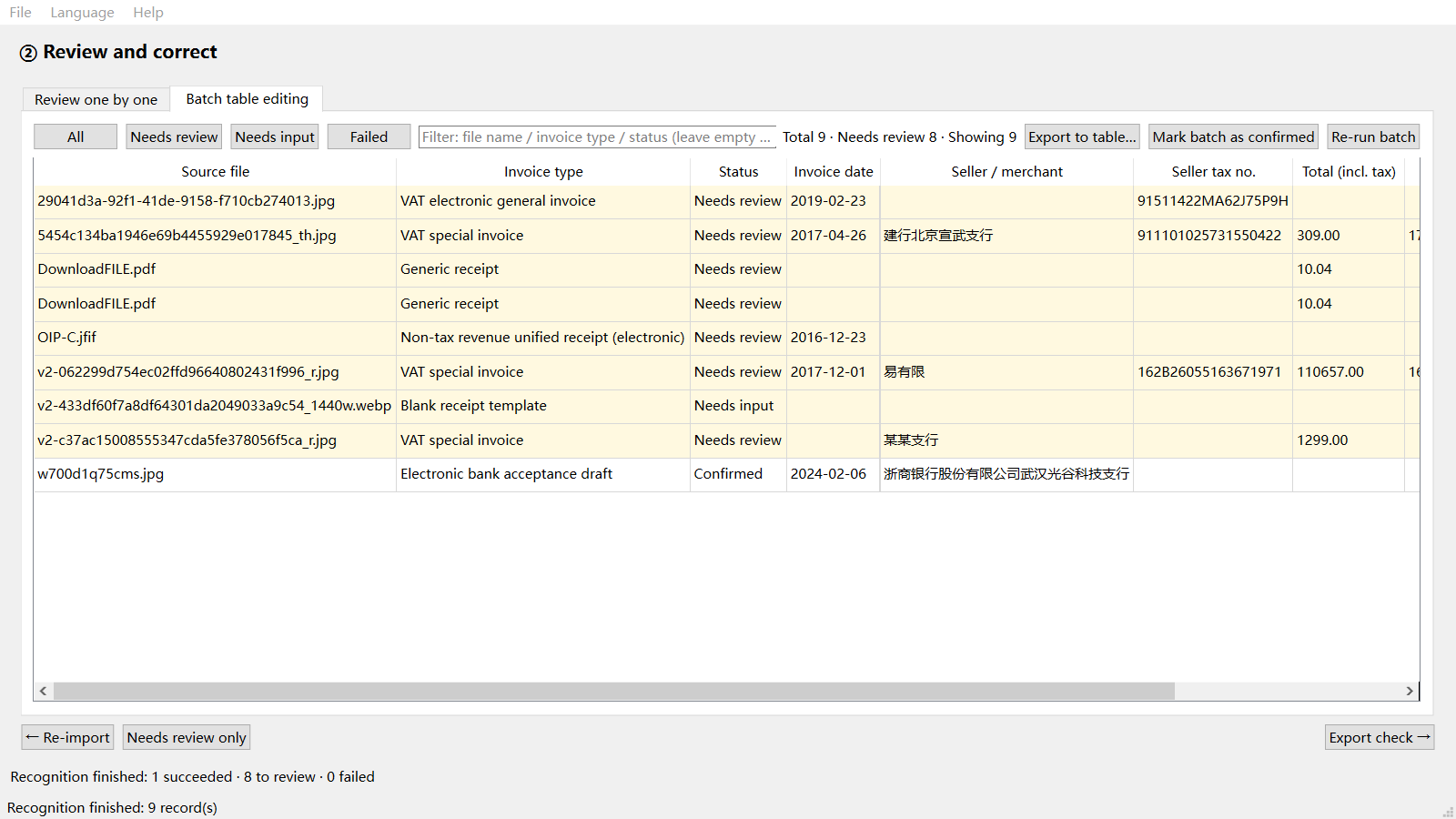
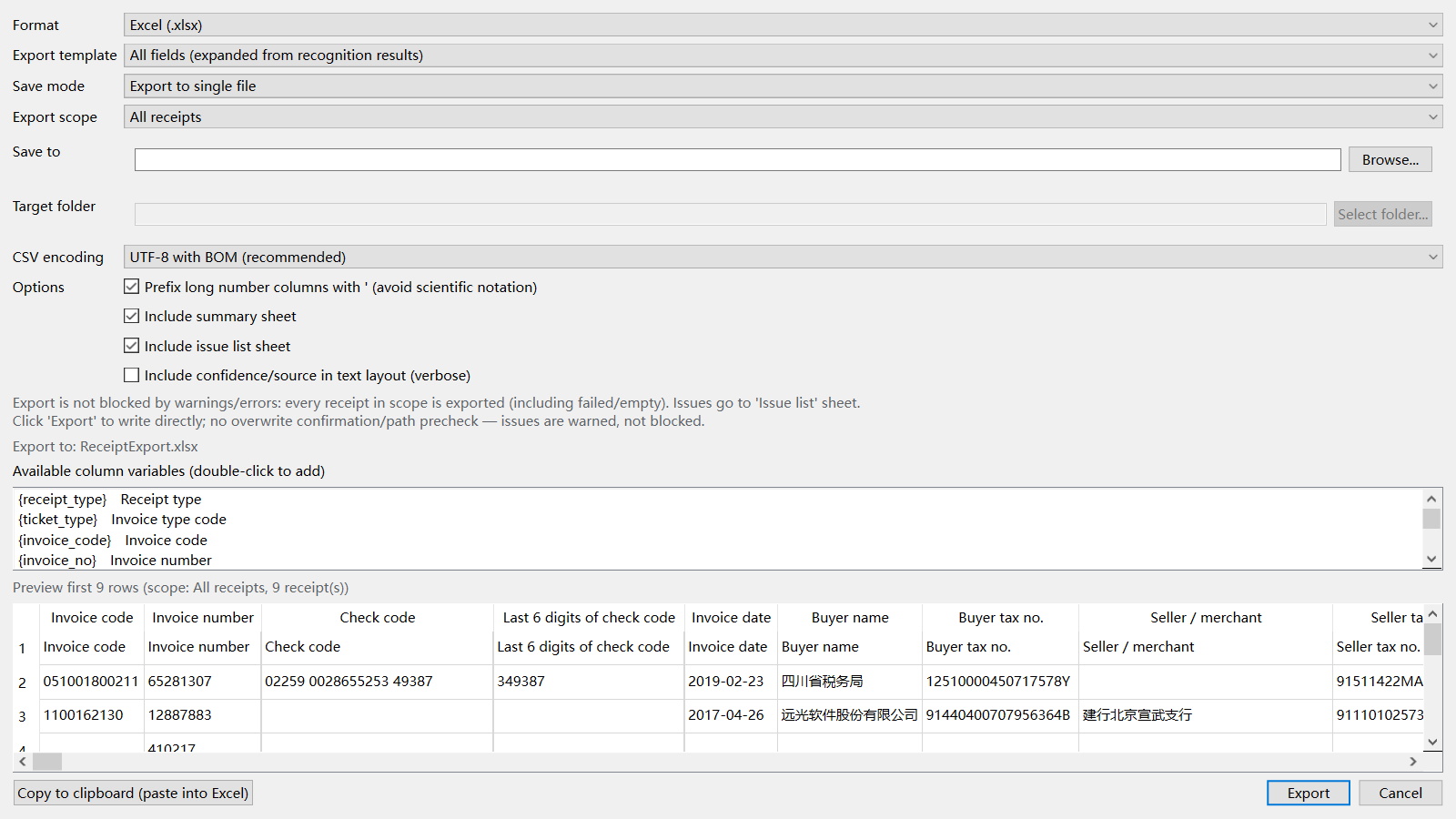
Issue date, invoice number, invoice code, seller name, seller tax ID, buyer name, buyer tax ID, amount (excl. tax), tax amount, total, tax rate, capitalised total, goods/services name, period, passenger, departure, arrival, vehicle plate, etc. Amounts are handled as exact decimals with round-half-up — never floating point.
5) High data credibility
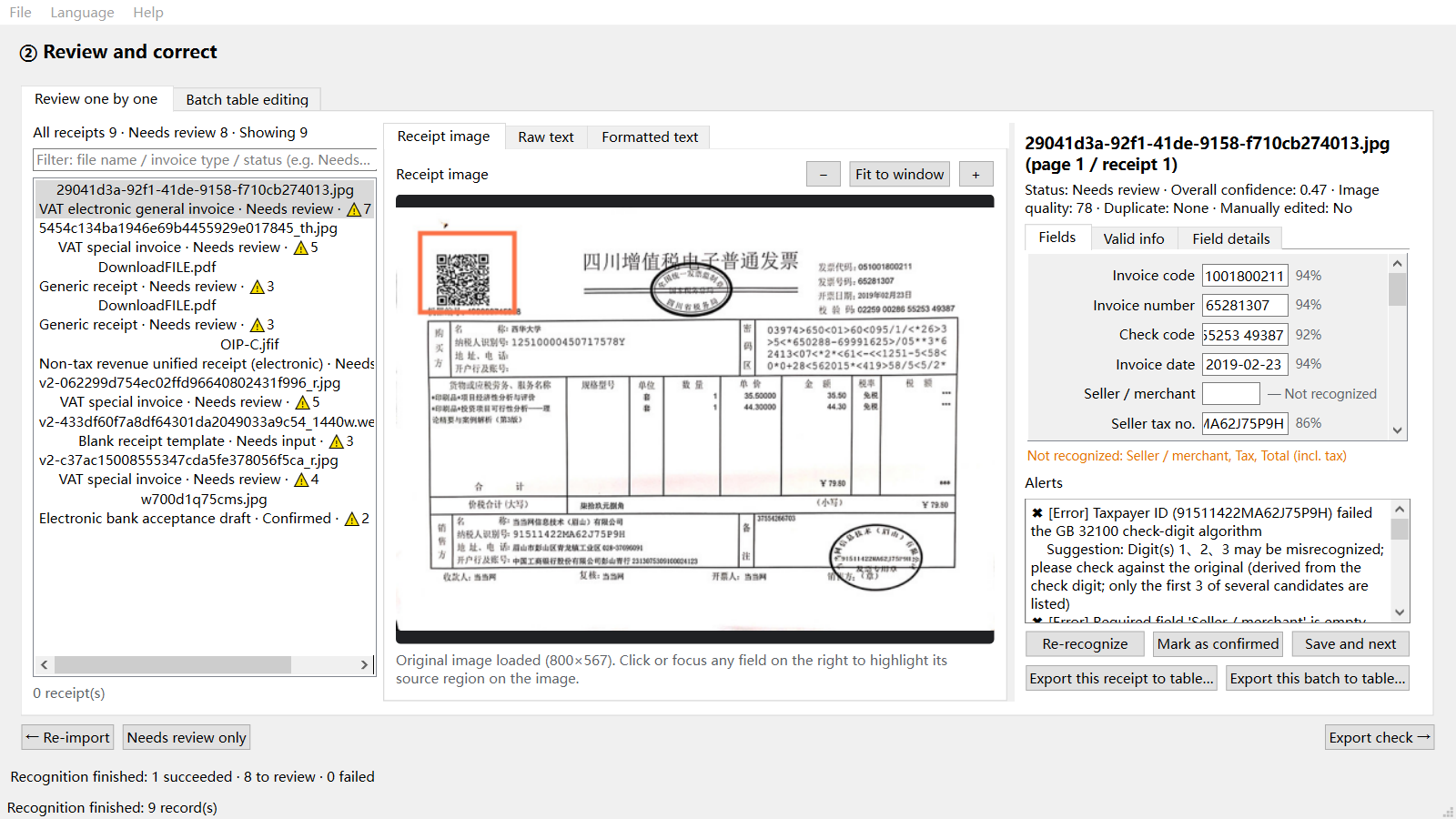
Every field carries a confidence score fused from OCR confidence, layout position, format validity, and cross-field arithmetic — shown with colour + icon + text. Click any field to highlight its source region on the receipt image. Any field can be corrected inline; manual edits are logged separately and exported to their own sheet.
6) No hallucination, no fabrication
Unrecognised values stay empty and flagged for review — never silently replaced with 0.00. Raw text is excerpted from the source, never generated. At month-end reconciliation, this matters more than a headline accuracy number.
7) Excel-ready export
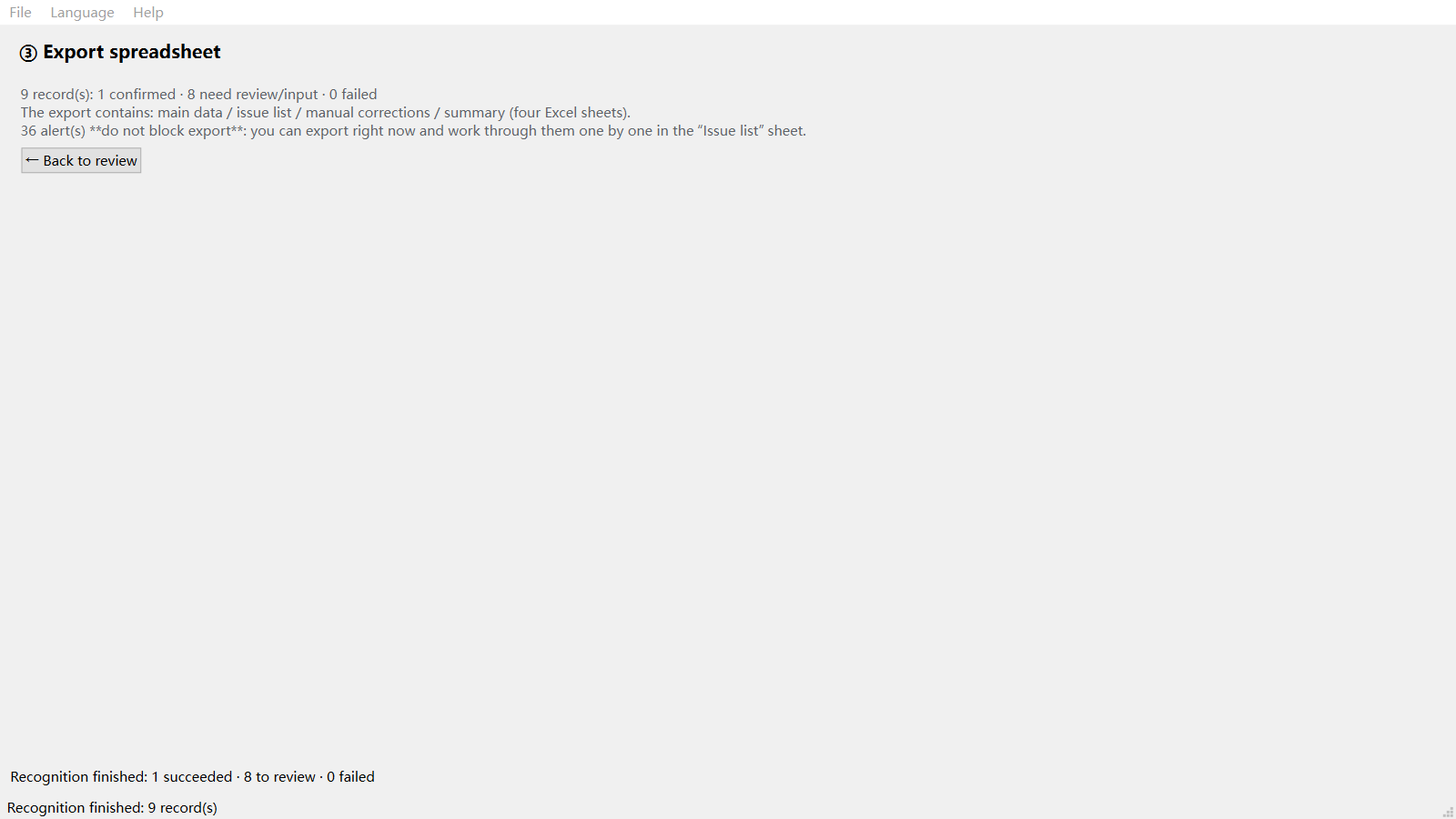
Excel (4 sheets: main data, issue list, manual edit log, statistical summary), CSV (UTF-8 with BOM by default — opens cleanly in Excel), JSON (per-field value, confidence, source, bounding box), and formatted plain text ready to paste into chat or email. Totals in Excel are live SUM formulas, not hard-coded numbers.
8) Nothing gets lost
Warnings and failures never block an export. Every receipt in range is written out — including failed ones — and every issue lands in a dedicated issue list with suggested fixes. Three validation layers cover format, cross-field arithmetic, and business rules: tax-ID checksum (with most-likely-misread digit suggestion), tax-rate whitelist, date sanity, duplicate-receipt fingerprints.
9) Built for Windows
Native desktop performance, three-step workflow: Import → Review → Export. UI in English and Chinese. ReceiptForge never modifies your original images.
ReceiptForge does not perform invoice authenticity verification (requires an online authority channel) and does not generate accounting entries or vouchers.**
Purchase
In order to download this offline receipt OCR you must purchase it at or above the minimum price of $1.99 USD. You will get access to the following files:
Also available on

Leave a comment
Log in with itch.io to leave a comment.